
DKLoginButton
English|中文文档
A login button with Cool animation and easy to use


Version
Inspiration from Dribbble
A login button with animation effect is implemented in this project, which is commonly used for Login/Logoff and other operations
As you can see the GIF animated demo below, you can set the button to a specific state after the effect is rotated (failure and success correspond to different animations)
These effects are encapsulated in the same class and can be easily used as long as the button inherits from this class
Demo

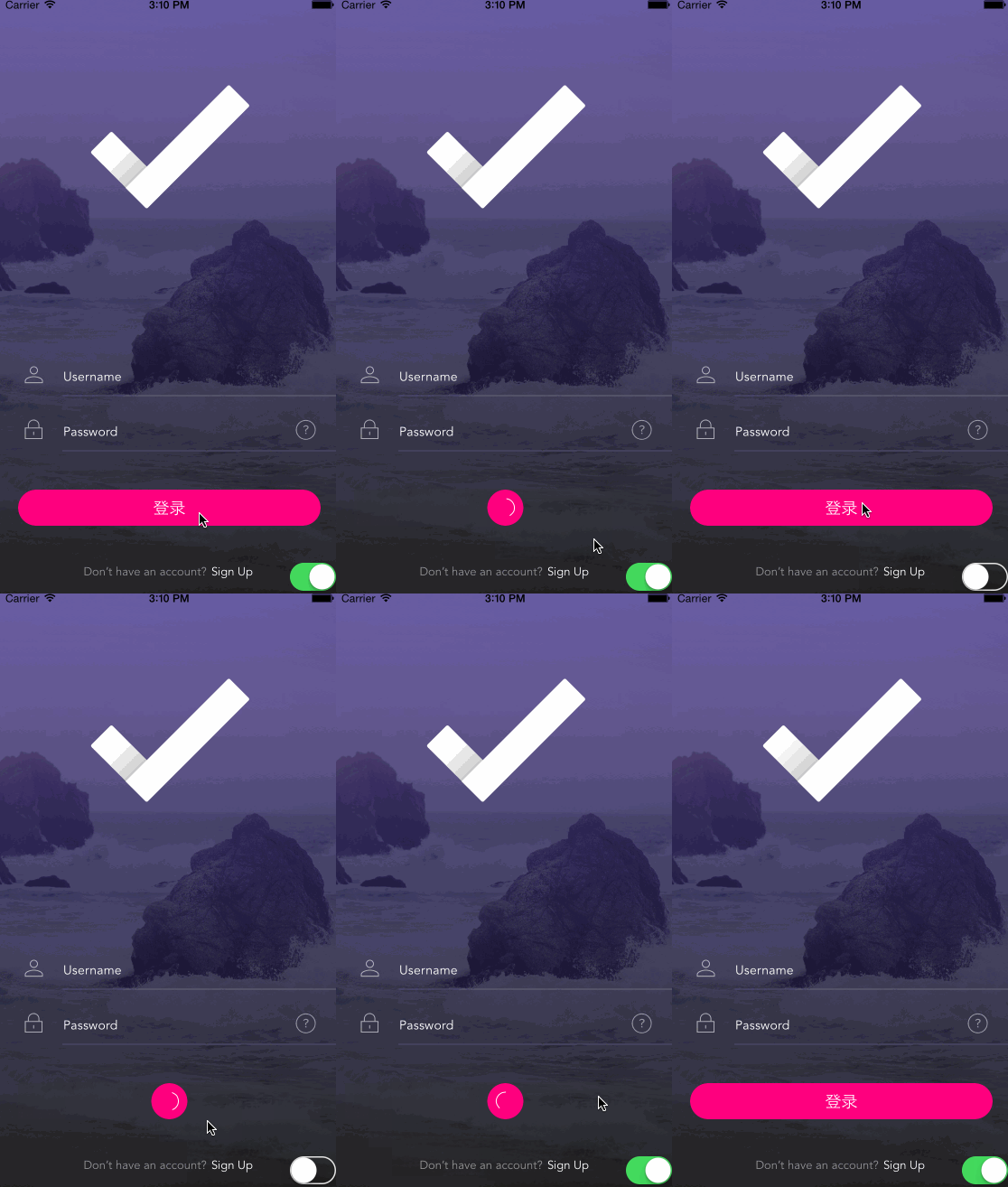
CocoaPods Recommended
pod 'DKLoginButton'
File add
Just download the Demo and drag the DKButton folder into your project
Usage
This is a subclass of the UIButton that initializes and sets the related properties before using
	override func viewDidLoad() {
	super.viewDidLoad()
	// set backgrounds
	UIApplication.sharedApplication().setStatusBarStyle(.LightContent, animated: false)
	let bg = UIImageView(image: UIImage(named: "Login"))
	bg.frame = self.view.frame
	self.view.addSubview(bg)
	// init button
	var btn = DKTransitionButton(frame: CGRect(x: 0, y: 0, width: self.view.frame.size.width - 64, height: 44))
	btn.backgroundColor = UIColor(red: 1, green: 0, blue: 128.0 / 255.0, alpha: 1)
	btn.center = self.view.center
	btn.frame.bottom = self.view.frame.height - 60
	btn.setTitle("Sign in", forState: .Normal)
	btn.titleLabel?.font = UIFont(name: "HelveticaNeue-Light", size: 14)
	btn.addTarget(self, action: #selector(onTapButton(_:)), forControlEvents: UIControlEvents.TouchUpInside)
	btn.spiner.spinnerColor = UIColor.blackColor()
	self.view.addSubview(btn)
	self.view.bringSubviewToFront(canlogin)
}
How to use animations
	@IBAction func onTapButton(button: DKTransitionButton) {
	// Start loading animations
	button.startLoadingAnimation()

	if self.canlogin.on {
	    // Success, interface switch
	button.startSwitchAnimation(1, completion: { () -> () in
	let secondVC = UIStoryboard(name: "Main", bundle: nil).instantiateViewControllerWithIdentifier("SecondViewController")
	secondVC.transitioningDelegate = self
	self.presentViewControllerWithDKAnimation(secondVC, animated: false, completion: nil)
	})
	} else {
    	// Failed, returned and prompted
	    button.startShakeAnimation(1, completion: {
	    // Prompt for logon failure
	    print("badend")
	    })
	}
}
The animation Return to the loginPage
@IBAction func onTapScreen() {
    button.moveToCenterExpand(0) {
	    self.dismissViewControllerAnimated(false, completion: nil)
	}
}